01 - Start With the Result Your Customer Needs
Before choosing an AI room visualizer, decide what the customer should do after seeing the image. Save an inspiration board? Book a designer? Compare items that can actually be bought? A provider comparison is useful only when the options are tested against the same task.
This guide uses a synthetic living-room exercise. It is a proposed buying test, not a measured vendor ranking. For related UAE product work, inspect Livespace.ai’s designer and room-generation interfaces. Your own product still needs its own evaluation set.
02 - Compare Three Different Buying Decisions
| Option | What you are evaluating | Work that may remain |
|---|---|---|
| Use an existing visualiser | Whether its current experience completes the customer task | Access, content, supported sharing and operating arrangements |
| Build around an image API | Whether a model can support the required room changes | Uploads, permissions, job states, review and saved results |
| Build a custom pipeline | Whether defined quality gaps justify additional engineering | Evaluation, model operations, deployment and ongoing ownership |
Ask each supplier to demonstrate the same starting photo and instruction. Keep the style brief, requested change and acceptance rules fixed. Do not compare one vendor’s selected portfolio image with another vendor’s first unreviewed attempt. Confirm whether an existing app exposes the commercial integration you need; a consumer subscription is not necessarily an API agreement.
03 - Work Through ROOM-01
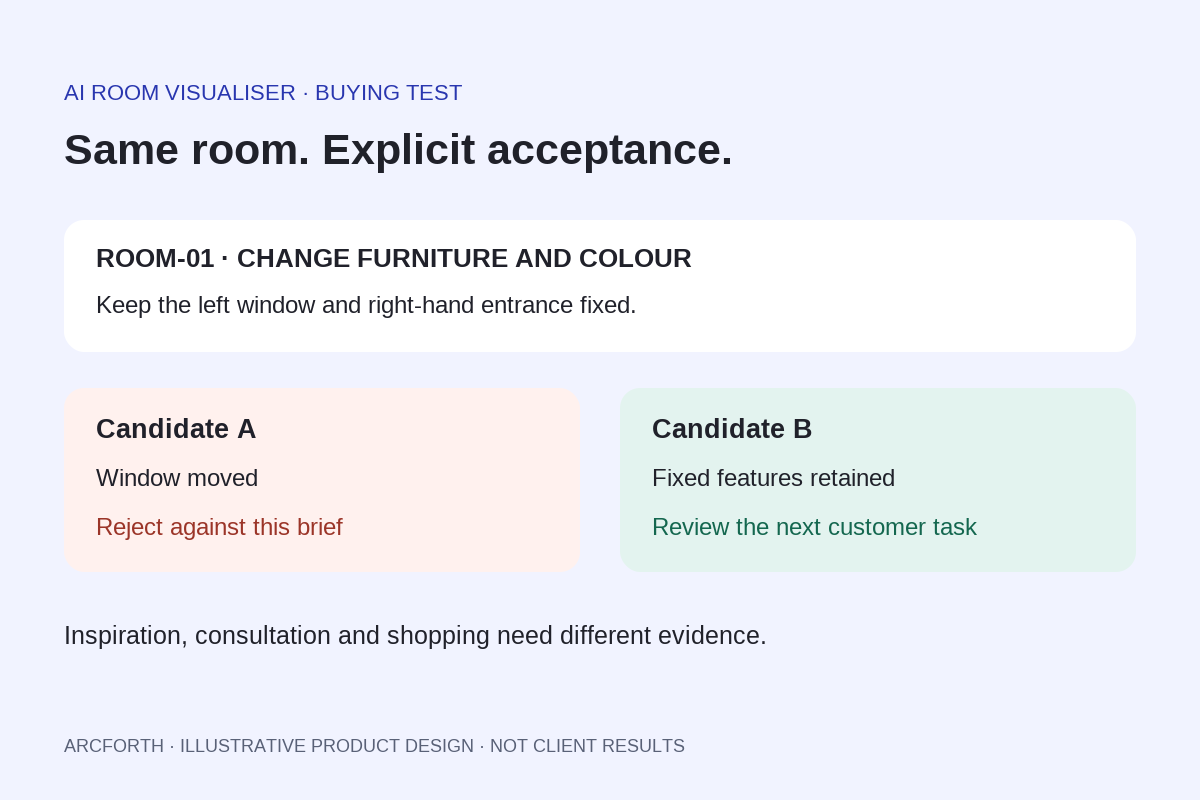
Use a room you are permitted to share. For the synthetic ROOM-01 exercise, mark a left-wall window and right-hand entrance as fixed. Ask for a warmer colour palette and a different seating arrangement without changing those openings. Record the input version, selected style, provider configuration and review decision.
Suppose candidate A has an appealing palette but relocates the window. Candidate B retains the fixed features but includes a lamp with no catalogue match. Under an inspiration-only brief, B may be suitable for review. Under a shopping brief requiring verified items, it is incomplete. The decision follows the stated product promise, not an overall beauty score.
Download the twelve-case room visualiser evaluation sheet. Fill in observed results and evidence from your own tests. Its blank results are intentional.
04 - Separate Attractive Images From a Usable App
After the first render, close and reopen the app. Change the style. Retry a failed job. Revisit an older result. Share a preview with a second permitted user and check that it does not expose the original private upload. These actions expose product work that a single model demo cannot show.
For API-based implementations, check how output files are retained. Replicate’s current output-file documentation describes the temporary lifecycle of API-generated files. A saved-project feature needs a deliberate storage and access design rather than depending indefinitely on a provider result link.
05 - Price Accepted Results, Including Review and Retry Work
Record the actual attempts used to reach a result your customer can use. Include failures, rejected images, storage and reviewer time in your own estimate. Keep the number of accepted rooms separate from the number of generation calls. An inexpensive request can still be costly if many attempts are rejected.
Do not infer a production unit cost from one selected room. Repeat the exercise on the room types, image quality and styles your first users will bring. If the review effort is too high, reduce the product promise, improve the input journey or compare another approach before funding a larger build. We have not supplied a market price or a measured accuracy percentage here.
06 - Check the Market and the Next Buying Action
For a Dubai homeowner journey, decide whether Arabic labels, right-to-left forms and AED catalogue context are needed. For a product sold in the UK, US, Europe or Australia, check the actual catalogue destinations and customer support arrangements in the intended market. Reusing a render does not make a furniture item locally available.
If a designer consultation follows the image, test that handoff with the information the designer needs. If checkout follows, evaluate the product mapping and availability separately. Keep the approved style source and the rights to use it in the brief. These are different release boundaries with different owners.
07 - Commission the Smallest Complete Journey
A useful first brief names the audience, the room types, the fixed features, the permitted content, the acceptance rules and the action after review. Add the current product and accounts if this is an integration. The delivery team should explain which parts are supplied by a vendor and which it will build and operate.
Use AI interior design app development for the complete product scope, then discuss your room visualiser with the evaluation examples. Bring the rooms and the decision you need to make, not just a list of model names.
Frequently Asked Questions
Should we buy a visualizer or build our own?
Use the same customer task and permitted room examples to compare an existing product, an API-based implementation and a custom pipeline. Build when an evidenced gap justifies the additional product and operating work.
What should we test beyond image quality?
Test fixed room features, input and style versions, failed jobs, saved results, private-image access and the next action such as a consultation or a verified catalogue lookup.
Are the downloadable cases real client results?
No. They are synthetic proposed evaluation cases with an empty results column for the buyer to complete during its own review.
Bring the same room to every provider review.
Agree the room features to preserve, the authorised style source and the customer’s next action. Compare the evidence before choosing the build.
The design, engineering, and product research collective at Arcforth building tomorrow's category-defining digital products.