Prepare the event and device
Select the right event, session and allowed ticket types. Show when the list was refreshed and whether the device is ready for its assigned entrance.

Services
A successful scan is only part of admission. Staff need to know whether a ticket belongs to this event, whether it has been used and what to do when the device cannot reach the server. Arcforth builds check-in workflows around those decisions, the existing ticket source and the people running the venue.
Select the right event, session and allowed ticket types. Show when the list was refreshed and whether the device is ready for its assigned entrance.
Make valid, already used, wrong event, wrong session and supervisor-review states distinct. Include a permitted manual lookup when scanning is not possible.
Keep local decisions and server-confirmed outcomes distinguishable. Resolve repeated uploads and cross-gate conflicts without silently erasing scan history.
If your ticketing product already sells tickets and handles payment, start by reviewing its admission tools and integration options. A custom scanner can become a focused operations layer instead of a replacement checkout, refunds engine and organiser finance system. Confirm how the app obtains ticket state and how an admitted ticket is written back.
Eventbrite documents scanning, manual lookup and offline check-in in its Organizer app. Test the existing product against your event before commissioning an alternative. Custom event check-in app development becomes worth considering when an identified workflow, role or system boundary remains unsupported.
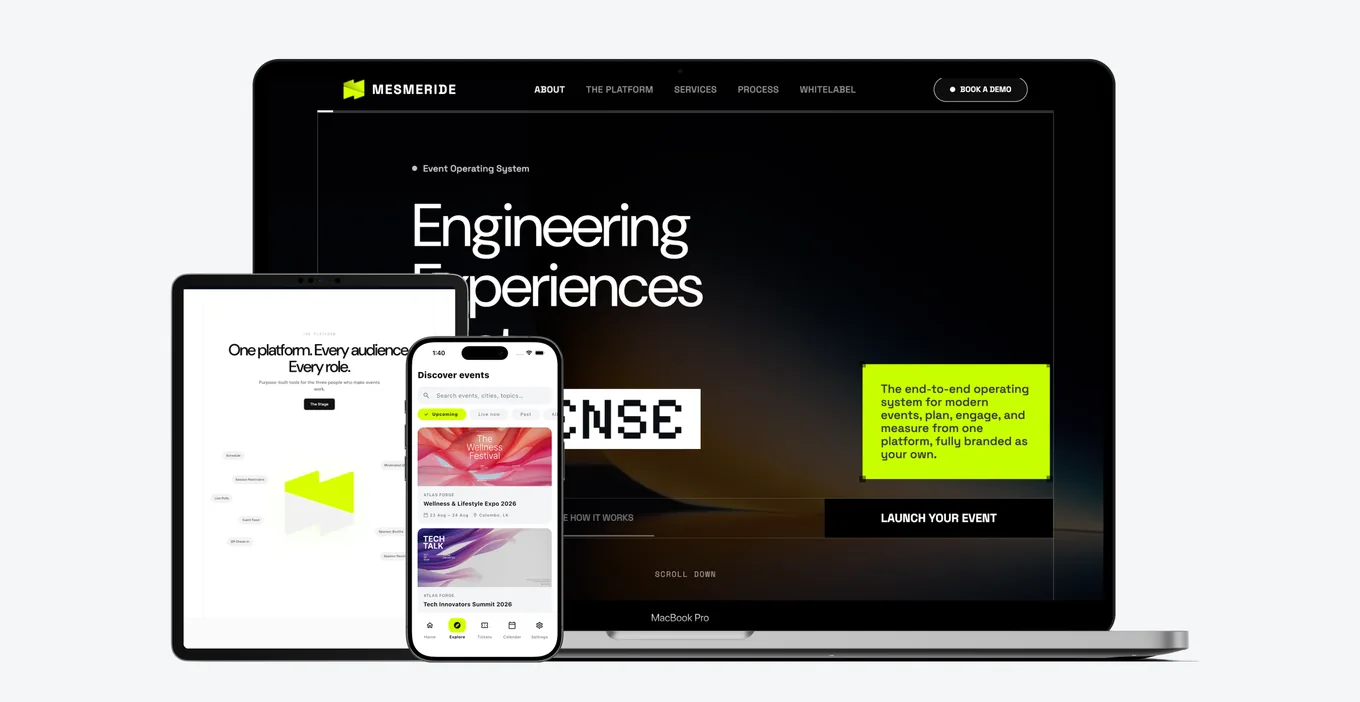
Our Mesmeride case covers registration, ticketing, attendee engagement and event operations. Ques.uk is related UK event-platform work connecting student discovery and organiser operations. Use those interfaces to discuss the people and records behind your own entrance journey.
The acceptance scope still needs your event rules: which sessions a ticket admits, whether re-entry is allowed, what staff can override and who handles an exception. A product screenshot does not establish a particular offline architecture or a measured scanning throughput.
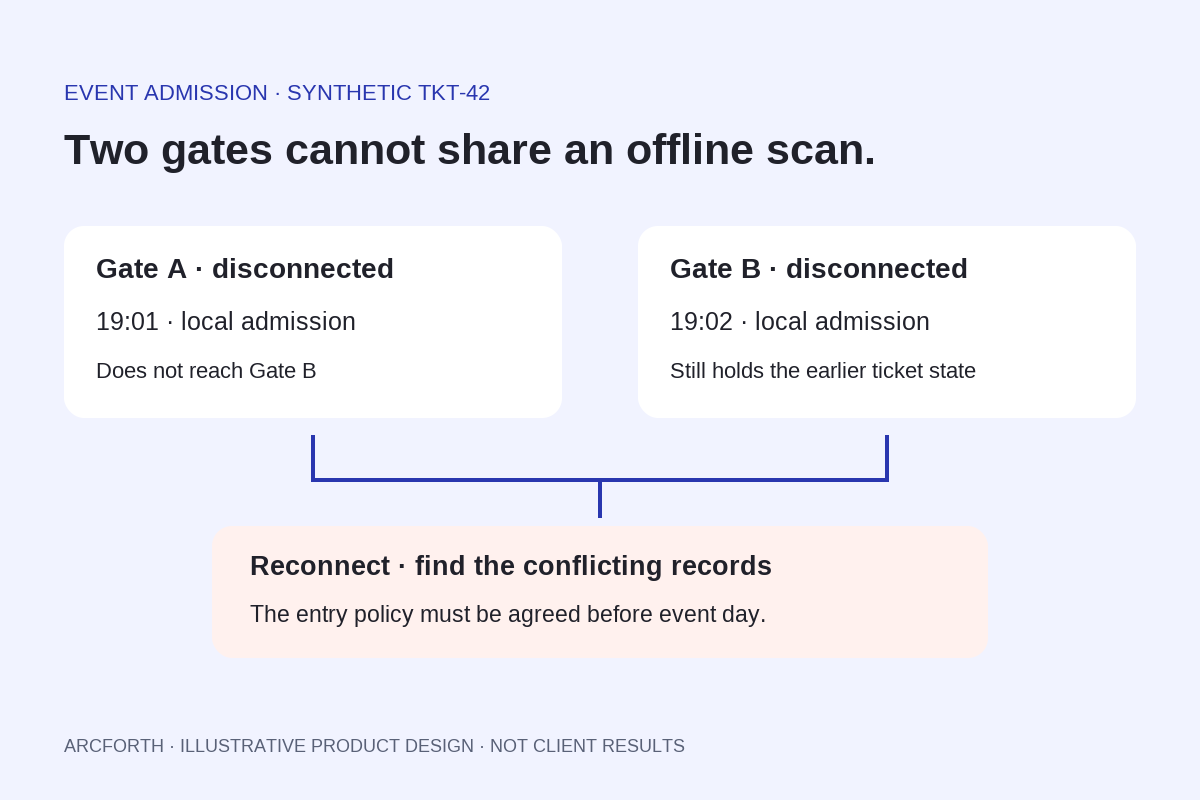
Two devices without a shared connection cannot see each other’s new scans. If each independently admits the same cached ticket, the server can find the conflict after reconnection but cannot undo the physical entry. An offline requirement therefore needs an operating policy as well as local storage.
| Operating choice | Decision to make before release |
|---|---|
| Connected gates | How current ticket state is checked and how an outage is signalled |
| Assigned offline gates | How tickets or entry zones are allocated and exceptions supervised |
| Provisional offline admission | Who accepts the temporary conflict risk and reconciles it later |
| A shared local network | Which infrastructure keeps gates communicating during an internet outage |
Work through the two-gate offline check-in example before choosing the design. None of these labels alone guarantees that a ticket cannot be presented at a second disconnected entrance.
A volunteer should not have to interpret an API error. Show a short decision, the allowed next action and a way to request supervisor help. Keep the ticket identity and relevant session visible without exposing payment details or an unnecessary attendee profile.
Agree the difference between validate-only, admit and check-out actions. A cancelled ticket, a valid ticket for tomorrow and an unreadable code need different handling. Manual admission should record the authorised operator and reason under the event’s policy, rather than offering every scanner user an unrestricted override.
Before doors open, check the camera, lighting, screen glare, battery, login state, storage and network route on the devices staff will use. Load the correct event and session while connectivity is available. A readiness indicator should explain when a device does not hold the data needed for its assigned offline role.
The event check-in rehearsal sheet supplies twelve synthetic proposed cases. Record observed behaviour for the ticket source, devices and app version you are reviewing. The sheet does not represent a completed rehearsal on a client’s event.
For a UK programme, keep the event’s Europe/London time zone explicit rather than interpreting a session using each phone’s clock setting. For an Australian programme, select the actual venue zone, such as Australia/Sydney, and rehearse dates around the event schedule. Display the event date and session context before scanning.
Arcforth works remotely with UK, Australian and other product teams. Agree the review window, organiser decision owner, venue rehearsal and release freeze around event day. Handing over a device should include its allowed role, pending records and a verified way to remove local attendee data when the work is finished.
Bring the event type, ticket source, admission rules, expected entrance arrangement, supported devices and the reason current tooling is insufficient. Identify who can provide a test event and synthetic tickets. Badge printing, box-office sales, turnstiles and ticket transfers are additional boundaries to confirm, not features implied by QR scanning.
The proposal should name the first complete workflow, the integration access required, the exception owner and the rehearsal evidence needed for release. Broader registration and ticketing work is covered by event management software development; integration development covers the record handoff to an existing platform.
Registration, ticketing, attendee engagement and event operations in one platform.
View Mesmeride Case Study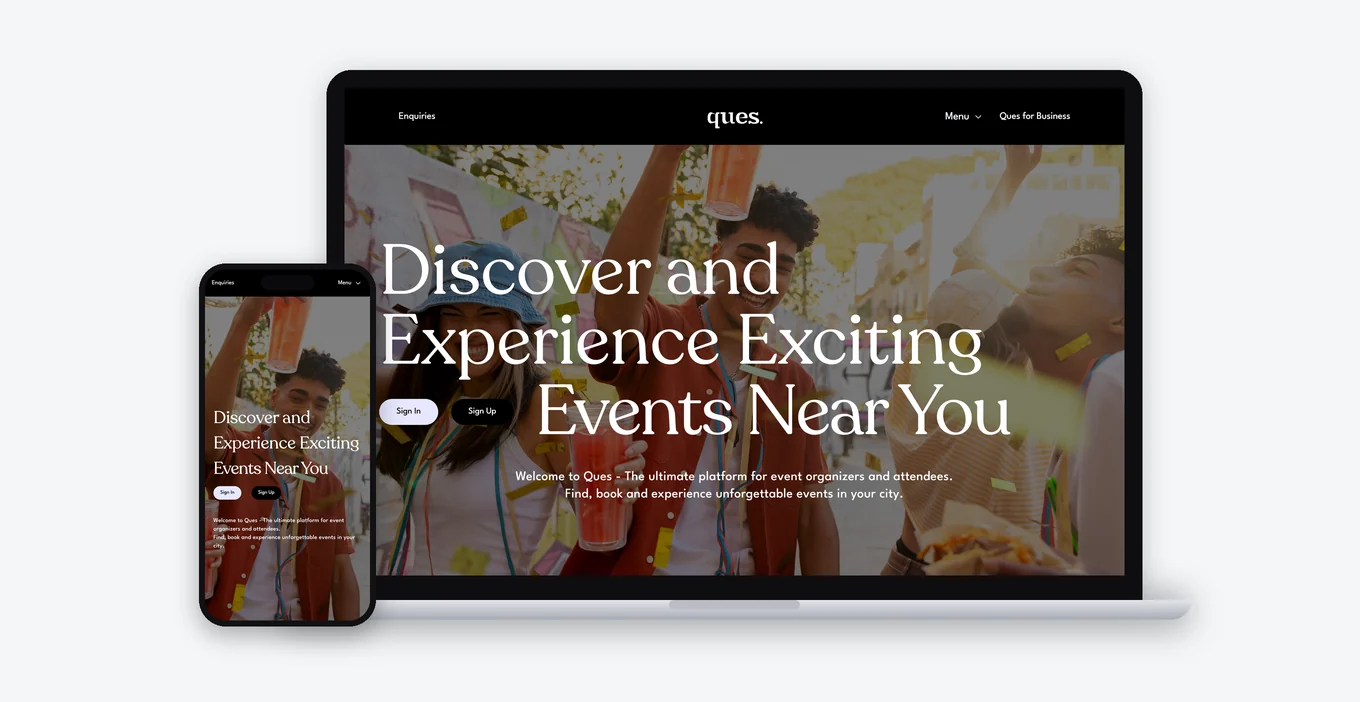
A city-aware event ticketing platform connecting students, organisers and admins on one unified system.
View Ques.uk Case StudyMap ticket ownership, gate roles and the offline admission policy.
Prototype valid, denied and supervisor-review decisions with staff.
Implement the agreed scanner, state sync and exception route.
Rehearse on supported devices and hand over the observed results.
A Product Pilot ($1,499 once) focuses on one workflow, core flows and prototype, build-ready requirements and an MVP roadmap. A Product Squad ($3,490 per month) supports ongoing product direction, design, engineering and iteration. An Embedded Product Unit (from $5,000 per month) adds capacity for larger products and multiple workstreams.
Separate disconnected gates cannot share new scans immediately. Choose assigned entrances, a shared local connection or an explicitly accepted provisional-admission policy, then test reconciliation.
Not necessarily. Check its existing organiser tools and supported interfaces. A custom admission layer can be scoped against an existing ticket source.
A permitted manual lookup and supervisor route can be included. Agree the identity checks, available fields and override responsibilities for your event.
No. It contains synthetic proposed rehearsal cases. Your team records the observations from its own app, venue and devices.

If you have committed to a software venture and need a team to shape, build and keep improving it, start with a product conversation.
Human judgment. AI-native delivery. One team accountable from the first decision to every release.